TOUCHPOINT
WALL.VIDEO
TOUCHPOINT
WALL.VIDEO

WELCOME TO THE TOUCHPOINT VIDEO WALL
Enjoy Stunning Video Experiences
Free to Use
Create video walls instantly - no cost, no signup required
Drag & Drop Reorder
Drag n Drop your videos exactly where you want them
Export & Share
Design amazing
Interactive Videos and more for just $5 m/o
Works Everywhere
Add YouTube, Vimeo, Rumble - all major platforms
Create Your Own Video Wall in Seconds
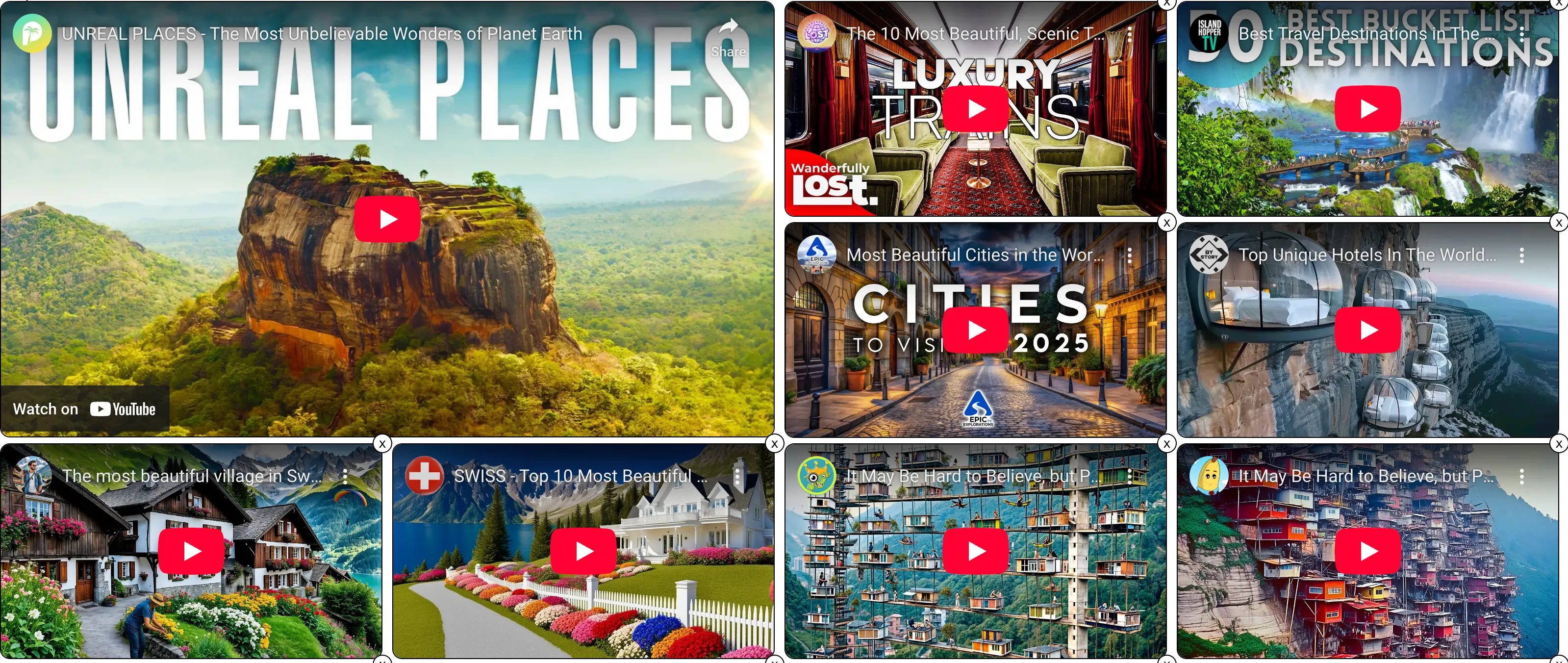
Curate and share video collections from YouTube, Vimeo, Rumble & more. Watch on any device—phone, tablet, desktop, or TV.
Desktop Power Users
Drag the Prompt Button above onto your bookmarks toolbar to create video walls directly in YouTube and other sites. It's 100% FREE
Drag the Export button next to your Prompt button to import walls here. ▶ Watch How It Works
Watch Anywhere, Anytime
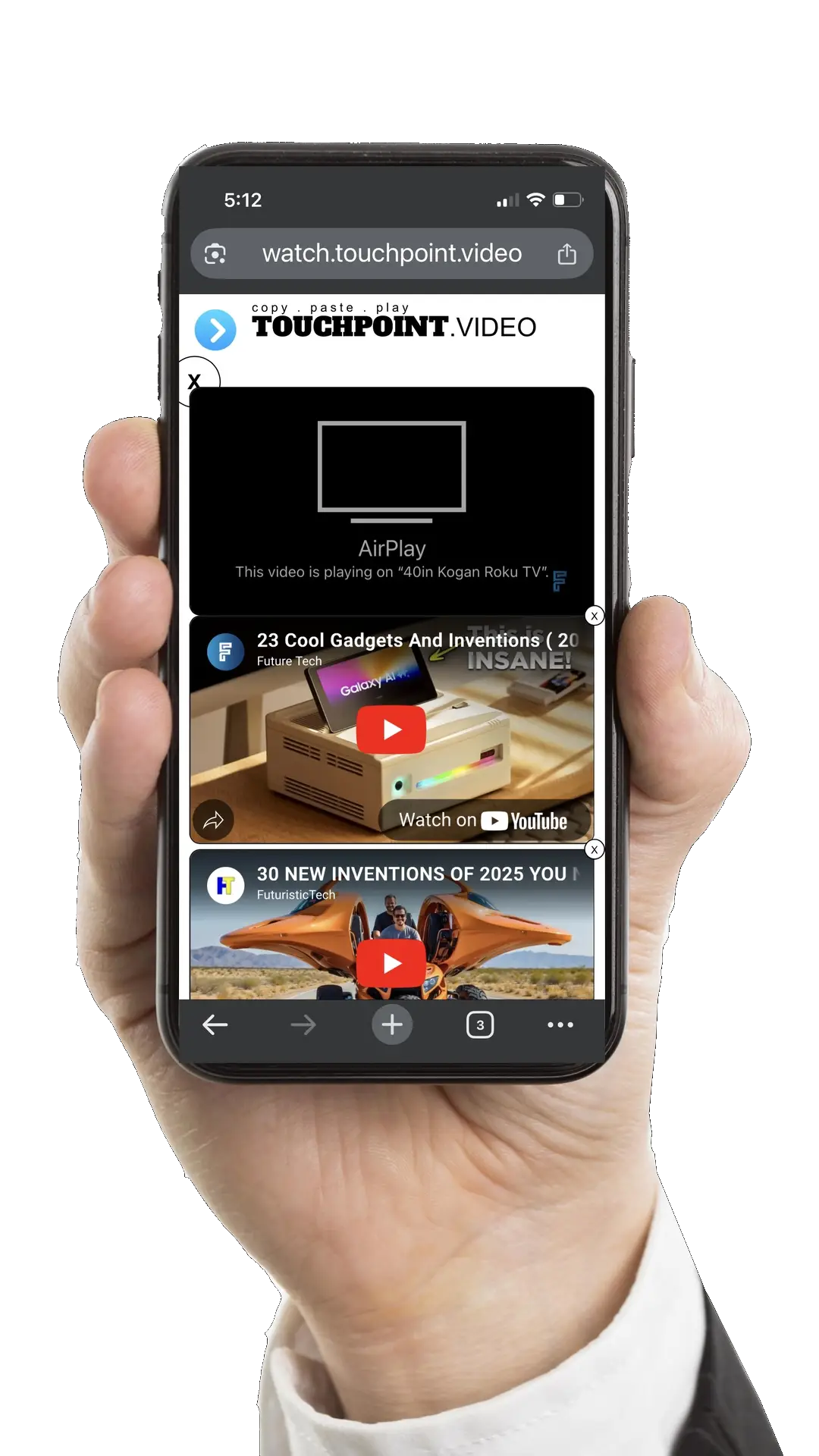
Stream your video walls on phone, tablet, desktop & TV with AirPlay and Chromecast
Get Started in 3 Simple Steps
Creating your first video wall takes less than a minute
Search & Add Videos
Search for videos from YouTube, Vimeo, Rumble and more. Or paste video links directly into the search field.
Build Your Wall
After adding your first video, this page transforms into a video wall. Keep adding videos, then click the X to return.
Save & Share
Share your walls with family, friends, students, and customers. Social posts include your wall title and thumbnail.
What Happens After You Subscribe?
Then the real fun begins!
Create Your Account
After subscribing, you'll be directed to set up your account with an email and password. Quick and easy!
Save Your Walls
Log in via the ME button above to instantly save and manage all the video walls you create.
Access the Studio
Create interactive videos by uploading or linking to your video files. Add buttons, links, and more!
📺 Video Wall Features
Organize and display multiple videos in beautiful, customizable layouts
One-Click Import
Create video walls from any website using our bookmarklet. Works with YouTube, Vimeo, Rumble, and more.
Drag & Drop Layout
Organize videos by dragging them into position. Create custom grid layouts.
Multi-Platform Support
YouTube, Vimeo, Rumble, Bitchute, Odysee, and your own MP4s. Mix and match platforms in one wall.
Keyboard Shortcuts
Hover over any video and press A to add a copy, R to reload stuck videos, or D to delete. Fast workflow control without clicking.
Rich Metadata Tooltips
Hover over videos to see views, duration, upload date, and channel info. Beautiful emoji-formatted display.
Export Anywhere
Save walls as standalone pages or embed in your website (can hide TPV controls). Share a single link to showcase your video collection.
Unlimited Walls
Create as many video walls as you need. Perfect for content creators, educators, and marketers.
🎬 Interactive Studio Features
Turn any YouTube, Vimeo, or MP4 video into an interactive experience or feedback-gathering tool.
No video hosting required. No hotspots required. Just paste a URL and start creating.
Viewer Feedback System
Get timestamped feedback on any video. Import YouTube/Vimeo URL, share feedback link, receive detailed notes via email. Perfect for creators, educators, and teams reviewing content.
Universal Video Support
Works with YouTube, Vimeo, and MP4 files. All three platforms support hotspots, analytics, and feedback identically. No re-hosting needed.
Professional Analytics
Track every interaction - plays, pauses, hotspot clicks, drop-off points. Device-specific sessions with location data. Downloadable PDF reports with engagement timelines and heatmaps.
Project Import & Sharing
Generate 6-character import codes to share projects across accounts. Perfect for agencies distributing templates, educators sharing lessons, or teams collaborating.
Clickable Hotspots
Add buttons, text, images, and invisible click zones. Link to products, jump to video chapters, or trigger custom JavaScript actions.
E-Commerce Integration
Send product data to shopping carts. Populate forms from video clicks. Create shoppable videos and affiliate marketing content.
Custom Code Support
Add HTML, CSS, and JavaScript. Import libraries like GSAP, Three.js, D3, anime.js. Full development freedom with jQuery included.
Parent Communication
Send messages from video to parent webpage. Change page content, add to cart, submit forms - all from video interactions.
Full Branding Control
Customize colors, logos, and controls. Add custom CSS for pixel-perfect styling. Match your brand identity perfectly.
Responsive Design
Create separate mobile and desktop versions. Clone projects and adjust for different screen sizes. Works perfectly on tablets.
Timeline Control
Jump to any point in videos. Create interactive chapters, quizzes, and choose-your-own-adventure experiences.
Sandbox & Publishing
Test before publishing. Create test pages with actual websites. Embed anywhere or send via text/email. Chromecast and AirPlay support included.
Just $5 per month for unlimited walls and interactive videos
Why so affordable? This price makes it easy to silo projects and clients. Instead of expensive team solutions, create separate accounts at $5/month each—perfect for agencies managing multiple brands or freelancers organizing client work.
Perfect For Everyone

Parents
Create entertainment for yourself and the kids

Educators
Dynamic teaching presentations

Content Creators
Display your video content attractively

Marketing Pros
Showcase campaigns and products

Video Editors
Compile and present your showreels
More Ways to Use Video Walls

Musicians
Create music video walls

Graphic Designers
Visually engaging presentations of your work

Travel Agents
Display destinations and packages attractively

Fashion Designers
Present collections via lookbooks or runway videos

Students
Learning tool and project research
Your Control Panel (above)
Everything you need is just one click away
Paste
Copy a video URL, then click to paste it directly.
Desktop only.
Prompt v2.4
Enter a video URL when prompted. Drag to bookmarks bar for use on other sites.
Search
Search YouTube, Vimeo, Rumble & Odysee. 20 results per search (members get 50).
Save
Save your video wall to access and share it anytime.
Me
Log in to view, filter, edit, or delete saved video walls. Update account and access Studio too.
Info & Settings
More about Video Walls, bookmarklets, autoplay, append walls and theme settings.
Light Theme
Switch to day mode
Dark Theme
Switch to night mode
Autoplay
Auto-play next video
Playlist Mode
Play fullscreen playlist
Append Wall
Import another wall
Power Up with Bookmarklets
Create video walls directly in YouTube and other video sites
📌 What's a Bookmarklet?
A bookmarklet is a bookmark that runs a script instead of opening a page. Our Prompt bookmarklet lets you add videos to a wall directly from YouTube. The Export Wall bookmarklet transfers your wall here for a cleaner viewing experience.
How to Use the Prompt Bookmarklet
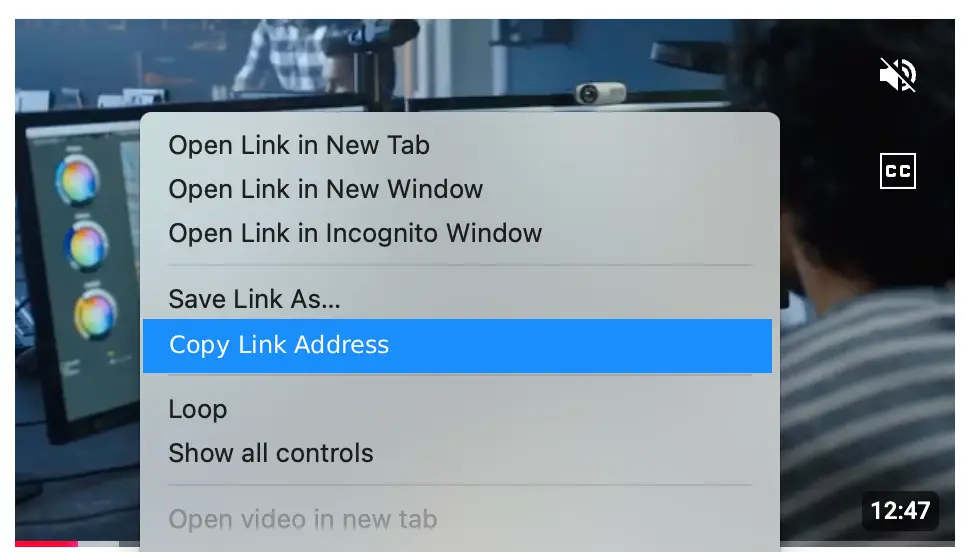
Right-click on a video thumbnail
Copy the link
Click Prompt bookmarklet & paste link
Click OK - video added!
Pin/Unpin Your Wall
Click the X to close your wall. Right-click it to pin/unpin. Pinned walls stay in view while you scroll. Unpin when adding many videos to free up space.
Video Wall Links
Each wall gets a unique ID. Your link looks like: watch.touchpoint.video/wall/?id=1758128348
Tip: Refresh the page to get a new ID instead of overwriting an existing wall.
Bookmarklet Library
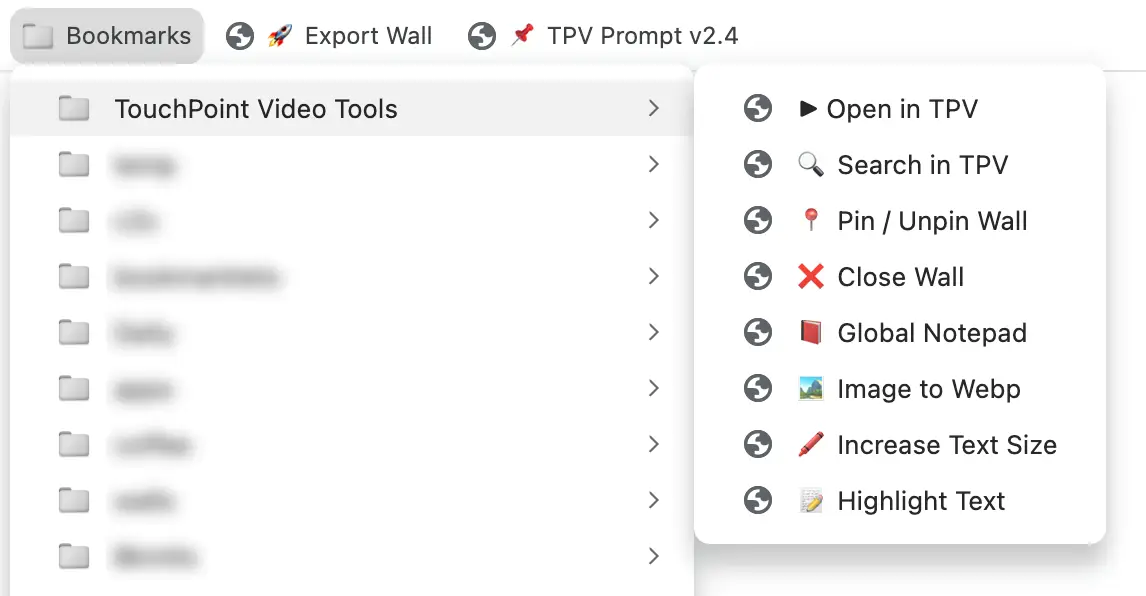
Besides the Prompt and Export bookmarklets above you can drag these
powerful tools to your bookmarks bar for even more features
On a YouTube, Rumble, Vimeo, Odysee or Bitchute video page? Click this to open the video in a video wall at TouchPoint.
Toggle your wall between pinned (stays in view) and unpinned (scrolls with page). You can also do this by right clicking the big X in the Wall
Quickly close your wall when browsing Google or other sites where the Wall's close button doesn't work.
Opens TouchPoint search with the current page title as the default query. You can change this to a different query
Open a notepad in the bottom right of the page. Paste video URLs you may want for later. Syncs across all sites including YouTube.
Upload a PNG, JPG, GIF image to convert it into WEBP format.
Select text on a page and click this to increase its size. Great to draw attention for screen grabs and recordings.
Select text on a page and click this to highlight it. Great for screen grabs and recordings.
💡 Pro Tip: Create a "TouchPoint Video Tools" folder on your bookmarks bar to organize all these bookmarklets
⚠️ Good to Know
- YouTube Shorts may display differently and often play automatically. View them in fullscreen for best results.
- Embedding restrictions: Some videos won't display if creators disabled embedding. Simply delete these.
- Mobile users: Keep walls under 20 videos when sharing with mobile users. Always test on mobile before sharing.
Questions? Contact us at
Watch videos on any device or cast to your TV
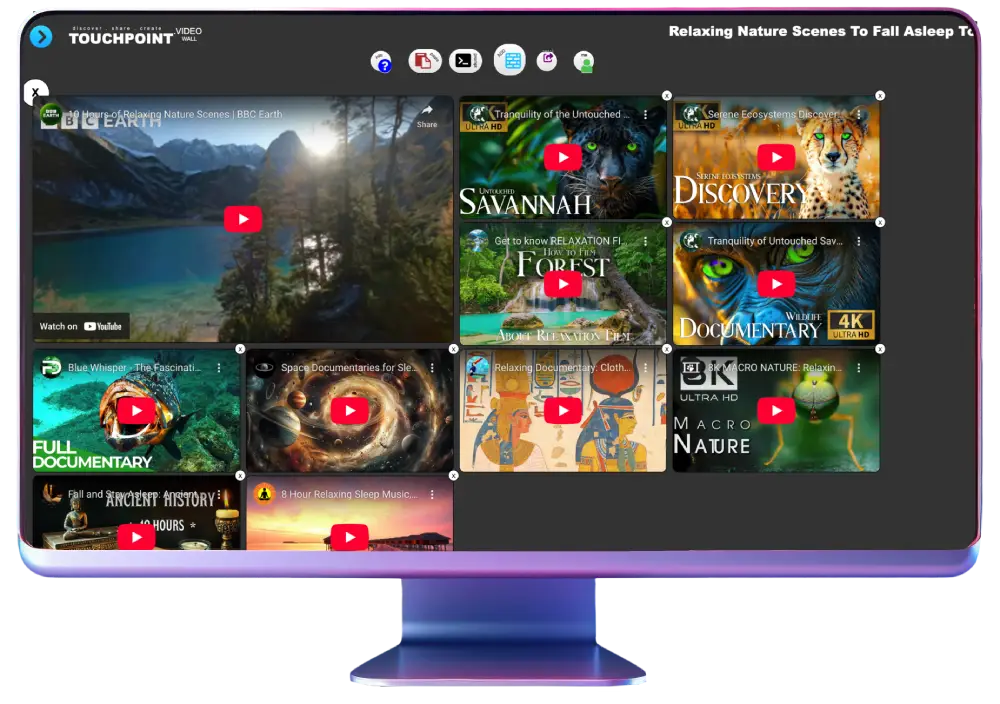
Explore TouchPoint
We bring together the best video platforms in one space
Add live streams and embedded videos easily
Keep up-to-date with the latest news

Richard's 9/11 video wall →
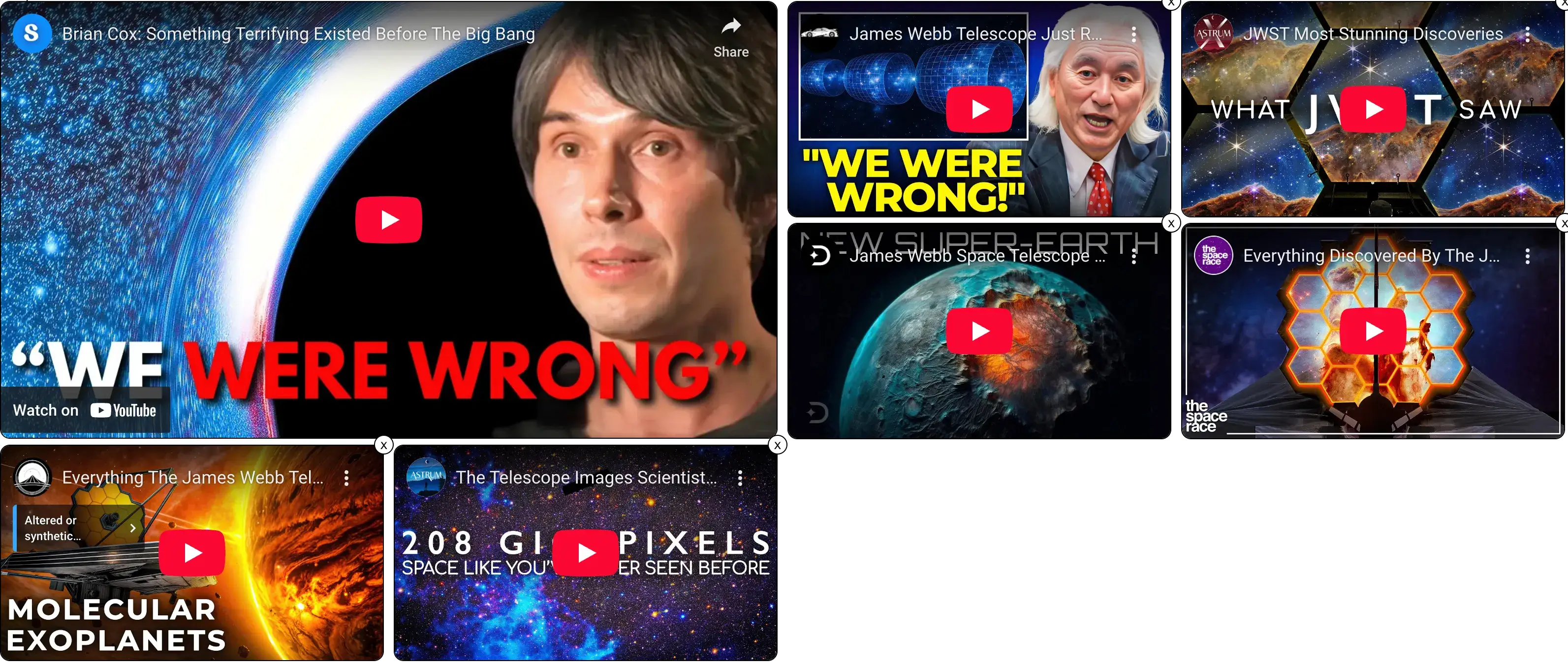
Get Started
Click search and either enter a video URL or search by keyword.
Populate your wall from the thumbnail results and start watching!
Creators Paradise Club
Save & share unlimited video walls & interactive videos.
Access the TouchPoint Video Interactive Studio
and create interactive videos from MP4's, YouTube and Vimeo videos.
In fact we now have the TouchPoint Interactive extension that lets you make your
YouTube videos interactive ON YOUTUBE OR VIMEO! Yep. This adds superpowers to your videos.
Add interactive elements in the Studio and anyone with the extension will
get the interactive elements on YouTube. Link to products, sponsors, socials and more.
✅ Zero fees
✅ Instant access
✅ Pay with USDC
✅ Monthly renewal
✅ Zero fees
✅ Instant access
✅ Pay with USDC
✅ 2 months FREE
✅ Familiar & easy
✅ Credit card accepted
✅ Cancel anytime
⚠️ Processing fees
💡 Why two prices? Crypto payments have zero fees, so we pass the savings to you! Both options give you full access.
Discover the TouchPoint Studio
Unlock More Fun and Functionality with Interactive Videos!
Enhance engagement by adding functionality to your own videos with our desktop app.
Add hotspots to videos that link to pages, email, phone, text and functions.
Easily share or embed them in a website and video wall.
Learn more →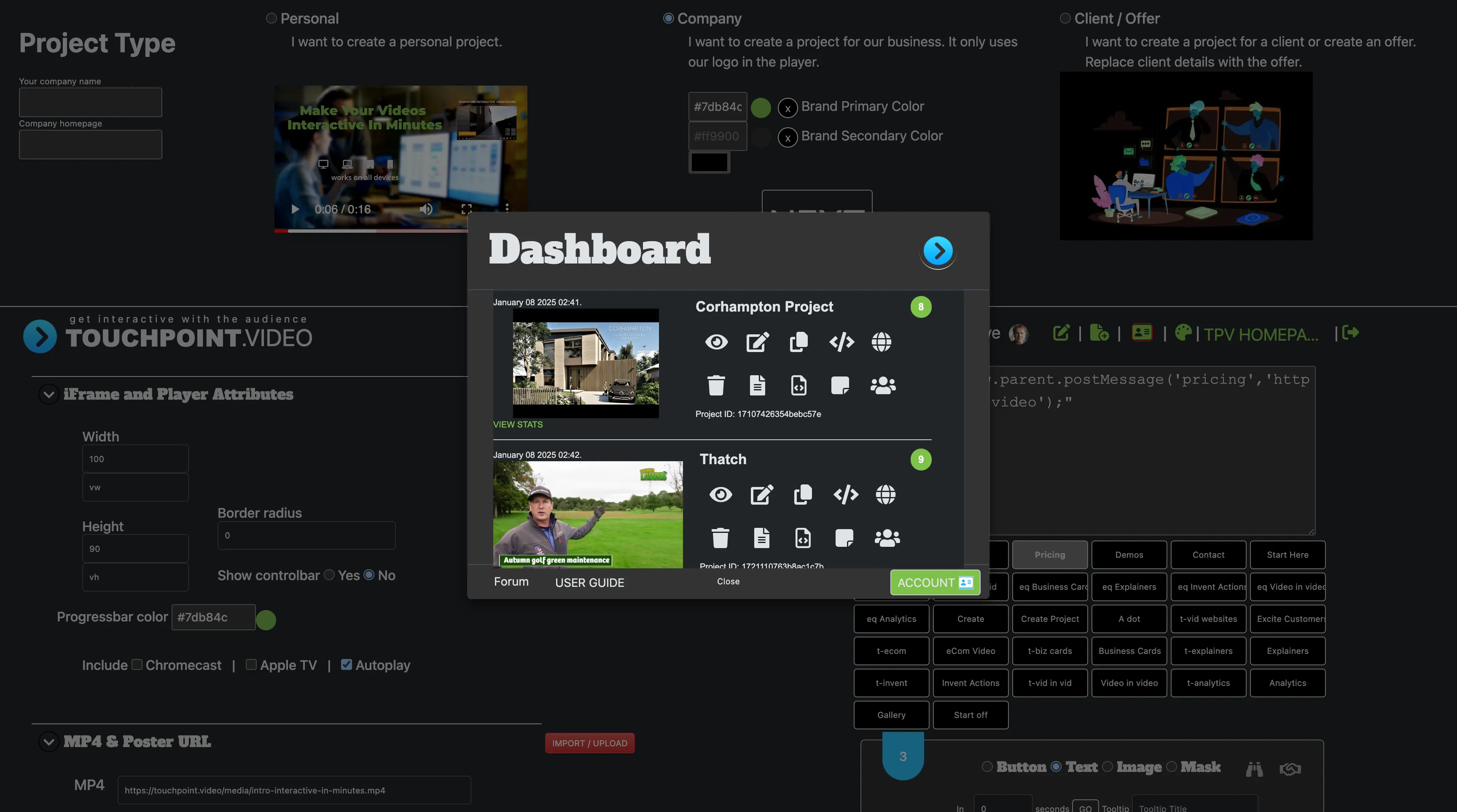
There's no lock-in contracts - cancel anytime via PayPal and you will not be billed next cycle.
Signing up signals your agreement with the Terms & Conditions - Privacy Policy

Create Amazing Video Walls
© TouchPoint Video. All Rights Reserved. Terms & Conditions - Privacy Policy